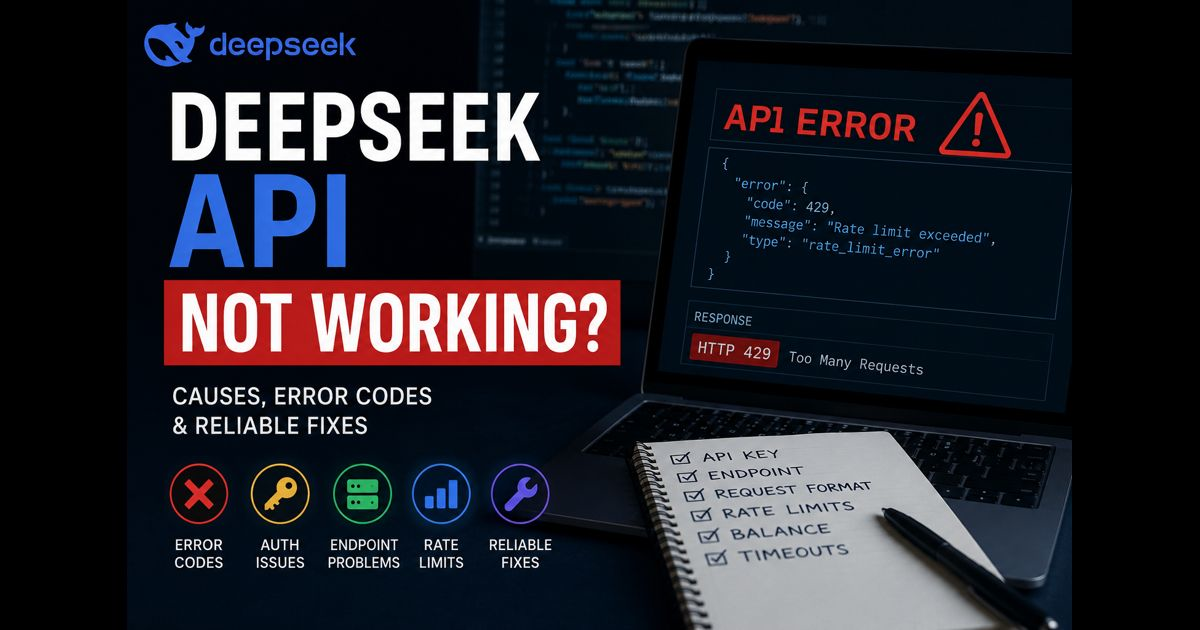
When the DeepSeek API is not working, the fastest solution is to identify whether the failure comes from authentication, account balance, request format, rate limits, an incorrect endpoint, or a temporary service-side interruption.
Start with the HTTP status code and the response body. They usually identify the failing part of the request far more accurately than repeatedly changing code.
Confirm that the request reaches the correct API endpoint
A working request must use the current API base URL, a valid model name, and the endpoint supported by the library or application you are using. An OpenAI-compatible client can work with DeepSeek when its base URL is changed correctly, but a client’s default provider settings may still point requests somewhere else.
Check these items before changing anything else:
- The base URL matches the current DeepSeek documentation.
- The request uses a supported endpoint.
- The selected model name is available to your account.
- Your integration has not retained an older provider configuration.
- A proxy, server variable, or deployment setting is not replacing the intended URL.
Test the same request outside your application with a minimal command-line request. If it works there but fails in your app, the issue is in the integration, environment variables, or request handling rather than the API account itself.
Fix a 401 authentication error
A 401 response means authentication failed. It commonly occurs when the API key is missing, incomplete, revoked, copied with extra spaces, or loaded from the wrong environment variable.
Create and manage credentials carefully through your DeepSeek API key settings, then confirm that your server can read the current value.
Do not expose the key in browser-side JavaScript, public repositories, screenshots, error logs, or client applications. If a key may have been exposed, revoke it and issue a replacement.
A minimal authentication check should send the key in the expected authorization header. Make sure your application is not accidentally sending a placeholder such as YOUR_API_KEY, an old key from a local .env file, or credentials from another provider.
Resolve a 402 insufficient balance error
A 402 response indicates that the account does not have sufficient available balance for the request. This is an account condition, not a coding problem.
Check the current balance, billing status, and usage limits. Then retry with a small request after the account has usable credit. A very large input or output allowance can consume more than expected, particularly when retries run automatically.
For a clearer view of token-based costs and usage planning, review the site’s DeepSeek API pricing guide.
Correct a 400 or 422 request error
A 400 invalid-format error usually means that the JSON body is malformed or fields have the wrong structure. A 422 error means the request was understood but includes invalid parameters.
Common causes include:
- Invalid JSON caused by missing commas, brackets, or quotation marks.
- Sending messages in the wrong structure.
- Using unsupported model, temperature, tool, response-format, or stream settings.
- Providing a value with the wrong data type.
- Sending an empty or malformed user message.
- Mixing parameters copied from another AI provider that DeepSeek does not support.
Read the response body carefully. It often identifies the field that needs correction. Remove optional parameters, send a minimal request that works, and then reintroduce settings one at a time.
Handle a 429 rate-limit response
A 429 error means requests are arriving too quickly for the applicable limit. Retrying immediately and repeatedly can make the interruption last longer.
Use exponential backoff with random delay, limit concurrent requests, and avoid allowing several user actions to trigger duplicate calls. For batch jobs, queue requests instead of sending them all at once.
A sensible retry policy might wait briefly after the first 429, increase the delay for each further attempt, and stop after a defined maximum number of retries. It should not retry authentication or invalid-parameter errors because those require a configuration change.
Check whether the API service is temporarily unavailable
A 500, 502, 503, timeout, or connection reset can indicate a temporary server-side issue, though the same symptoms can also come from a proxy, firewall, DNS setting, or hosting environment.
Check the official service notices first. Then run a small request from another network or server. If the failure appears only from one environment, inspect firewall rules, outbound HTTPS restrictions, proxy configuration, DNS resolution, and server logs.
Avoid assuming an outage based only on a slow response. Compare a minimal request with the request used by your production workflow.
Reduce oversized inputs and long-running requests
A request may appear to fail when the input is too large, the expected output is excessively long, or the application timeout is too short.
Reduce the prompt to a small reproducible example. Lower the requested output length, split large documents into smaller sections, and send files or retrieved content in controlled batches. If your framework has a short default timeout, increase it only after confirming that the request is otherwise valid.
For streaming responses, make sure the client can keep the connection open and process chunks as they arrive. A reverse proxy with an aggressive timeout can interrupt a valid stream before completion.
Check third-party platform settings separately
If DeepSeek works in a direct request but fails in a plugin, automation platform, IDE extension, or hosted chatbot, the third-party connection is the likely source of the problem.
Verify:
- The provider selection is set to DeepSeek rather than another OpenAI-compatible service.
- The platform supports the chosen model.
- The API key is saved in the correct workspace or project.
- The platform’s endpoint field does not add an incorrect path.
- The integration supports streaming, tools, JSON output, or other advanced settings you enabled.
- A recent platform update has not changed its model or credential configuration.
A direct minimal test is the cleanest comparison. It separates an API issue from a connector issue without guessing.
Use a minimal working request
Before restoring a complex workflow, test a small request with one short message and no optional settings. Keep the model name, authentication header, endpoint, and JSON body explicit.
curl https://api.deepseek.com/chat/completions
-H "Content-Type: application/json"
-H "Authorization: Bearer YOUR_API_KEY"
-d '{
"model": "deepseek-chat",
"messages": [
{
"role": "user",
"content": "Reply with: API connection confirmed."
}
]
}'
Replace the key securely rather than placing it in shared code. If this request succeeds, add your production settings back gradually: system instructions, larger inputs, streaming, tools, response formatting, and retries.
A practical order for diagnosing the problem
- Read the HTTP status code and complete error message.
- Test one minimal request directly.
- Verify the endpoint, model name, and API key.
- Check account balance and rate-limit behavior.
- Remove optional parameters and reduce input size.
- Compare direct API behavior with the third-party integration.
- Check official service notices and your own server or proxy logs.
This order prevents a common mistake: changing several variables at once and losing the evidence that would reveal the real cause.
Keep API failures from returning
Use environment variables or a secret manager for credentials, log status codes without logging keys or sensitive prompts, set clear request timeouts, and implement retries only for temporary failures. Monitor 429 and server-error rates separately from 400, 401, and 422 responses; they require different fixes.
A dependable integration treats API errors as useful signals. Authentication errors require credential checks, billing errors require account action, validation errors require request changes, and availability errors require patient retry logic or service-status confirmation.
Frequently asked questions
Why does my DeepSeek API key show as invalid?
The key may be incomplete, revoked, copied with hidden whitespace, unavailable to the running environment, or sent through the wrong authorization header. Generate a new key only after confirming that the application is actually loading the intended environment variable.
Why does DeepSeek API work in one tool but not another?
The tools may use different endpoints, model names, credentials, proxy settings, request formats, or API versions. A direct minimal request helps identify whether the API or the specific integration is failing.
Does a 429 error mean the API is down?
No. A 429 response normally means a rate limit has been reached. Slow down requests, reduce concurrent calls, and retry with backoff.
Is a 500 error always caused by DeepSeek?
No. A 500 response may be temporary, but reverse proxies, application servers, malformed integrations, and network gateways can produce similar errors. Compare a direct request with the failing application request.