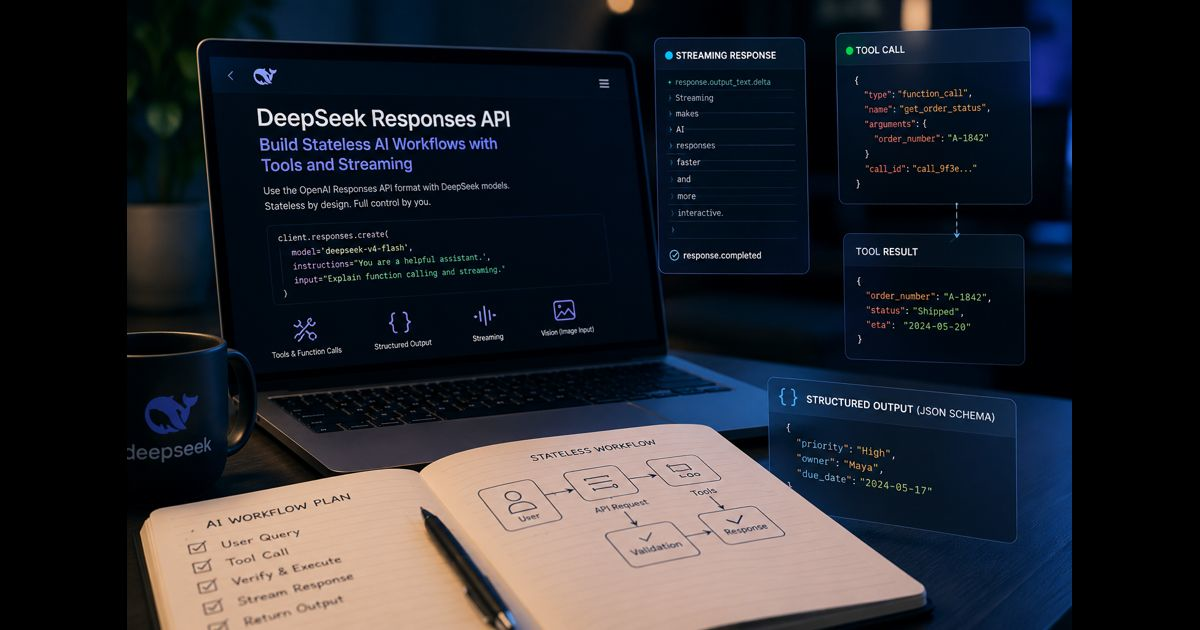
DeepSeek Responses API lets applications use the OpenAI Responses API format with DeepSeek models. It is designed for a single request-and-response interface that can handle ordinary text generation, structured output, streaming, reasoning, image input with a supported vision model, and tool calls.
The most important implementation detail is easy to miss: DeepSeek’s Responses API is stateless. It does not retain a server-side conversation that can be resumed with a previous response ID. For a multi-turn assistant, the application must keep the relevant history and send it again with the next request.
That approach gives developers direct control over what the model receives. It also means that a reliable integration needs deliberate history management, token monitoring, tool-result validation, and careful handling of unsupported options.
What the DeepSeek Responses API Does
The API creates a response from an input value, an instructions value, or both. input can be a plain string for a simple request or a structured list of message and tool items for an application that needs conversation context.
It supports the Responses-style workflow familiar to developers using the OpenAI SDK:
- Send a user request and optional instructions
- Receive generated output or streaming events
- Inspect any function or web-search calls
- Execute application-owned functions safely
- Return verified results to the model when another step is needed
- Present the final answer only after the workflow is complete
DeepSeek documents native support for the Responses API across its current V4 API model family. Before deployment, confirm model availability and supported parameters in the current official documentation, because model capabilities can change with releases.
For a broader explanation of the V4 model family, context capacity, and when higher reasoning effort is useful, see this guide to DeepSeek V4.
A Minimal Python Request
The official OpenAI Python SDK can be used by setting the DeepSeek base URL and supplying a DeepSeek API key.
from openai import OpenAI
client = OpenAI(
api_key="YOUR_DEEPSEEK_API_KEY",
base_url="https://api.deepseek.com"
)
response = client.responses.create(
model="deepseek-v4-flash",
instructions=(
"Give concise technical explanations. "
"State uncertainty when information is incomplete."
),
input="Explain the difference between JSON output and a function call."
)
print(response.output_text)
Keep the API key in an environment variable or a server-side secret manager. Do not place a live key in browser JavaScript, public repositories, screenshots, or client-side configuration files. A separate guide on creating and protecting a DeepSeek API key can help with the initial setup.
input and instructions Have Different Jobs
instructions sets the application-level guidance for the request. It can establish tone, output rules, safety boundaries, or the role expected of the model.
input contains the material the model should work with. A short question can be a string. A multi-turn workflow should use a list of structured items.
response = client.responses.create(
model="deepseek-v4-flash",
instructions="Answer as a careful support assistant.",
input=[
{
"role": "user",
"content": "My export failed. What should I check first?"
},
{
"role": "assistant",
"content": "Please share the error message and export format."
},
{
"role": "user",
"content": "The message says: file size limit exceeded."
}
]
)
Only send the history required for the current task. Repeating every past message increases input size, cost, and the chance that older instructions distract from the present issue.
DeepSeek Responses API Is Stateless
Some Responses API implementations allow an application to continue a server-side conversation through a response ID or a conversation object. DeepSeek does not support previous_response_id or conversation for this endpoint.
The application must instead retain the conversation locally and include the necessary context in a later request.
conversation = [
{
"role": "user",
"content": "Draft a release checklist for a mobile app."
}
]
first_response = client.responses.create(
model="deepseek-v4-flash",
input=conversation
)
conversation.append({
"role": "assistant",
"content": first_response.output_text
})
conversation.append({
"role": "user",
"content": "Add rollback and monitoring checks."
})
second_response = client.responses.create(
model="deepseek-v4-flash",
input=conversation
)
print(second_response.output_text)
A production application should not preserve unlimited raw history. A better pattern is to retain recent turns, keep durable facts in structured application data, and summarize older discussion when it is no longer needed word for word. Summaries should be reviewed carefully when they contain decisions, numbers, permissions, or other details where omission could create an error.
Structured Output for Data Your Application Can Use
When an application needs predictable machine-readable output, use the supported text-format controls rather than asking for “JSON only” in prose and hoping the response remains valid.
A schema helps the model return fields that can be parsed and validated before use.
response = client.responses.create(
model="deepseek-v4-flash",
input="Extract the priority, owner, and due date from: "
"Maya must review the security report by Friday. It is urgent.",
text={
"format": {
"type": "json_schema",
"name": "task_record",
"strict": True,
"schema": {
"type": "object",
"properties": {
"priority": {"type": "string"},
"owner": {"type": "string"},
"due_date": {"type": "string"}
},
"required": ["priority", "owner", "due_date"],
"additionalProperties": False
}
}
}
)
print(response.output_text)
Schema-conforming output still needs application-side validation. A valid JSON object can contain an inaccurate date, an invented owner, or a value that conflicts with your database. Treat model output as input to verify, not as an authorization to update records automatically.
Function Calls: The Model Requests, Your Application Decides
A function tool lets the model ask the surrounding application to perform a defined action, such as reading inventory, checking an order status, or calculating a price. The model does not execute the function itself.
This separation is essential. Your application should validate the arguments, enforce user permissions, make the real API or database call, and return only the result that is appropriate for the task.
tools = [{
"type": "function",
"name": "get_order_status",
"description": "Look up a customer order by its order number.",
"parameters": {
"type": "object",
"properties": {
"order_number": {
"type": "string",
"description": "The customer-visible order number."
}
},
"required": ["order_number"],
"additionalProperties": False
}
}]
response = client.responses.create(
model="deepseek-v4-flash",
input="Where is order A-1842?",
tools=tools
)
When a function call appears, check that the requested function is allowed, validate every argument, run the operation under normal access controls, and return the result using the matching call ID. Never let a model-generated argument bypass authorization, alter a query directly, or trigger irreversible activity without a suitable approval step.
Actions such as sending messages, issuing refunds, changing account permissions, deleting data, or executing code deserve additional confirmation from the affected user or a trusted operator.
Streaming Responses Without a [DONE] Assumption
Streaming is useful when a user should see progress before a long response is complete. DeepSeek supports streaming through Responses API events, including separate reasoning and output-text events.
Do not write a parser that waits only for a legacy data: [DONE] marker. A robust handler should recognize completion, incomplete, and failure events and should preserve the final response state for logging and recovery.
stream = client.responses.create(
model="deepseek-v4-flash",
input="Explain how rate limiting protects an API.",
stream=True
)
for event in stream:
if event.type == "response.output_text.delta":
print(event.delta, end="", flush=True)
elif event.type == "response.completed":
print("nResponse completed.")
elif event.type in {"response.failed", "response.incomplete"}:
print(f"nResponse ended with: {event.type}")
In a user-facing interface, show only the content your product is meant to display. Keep operational logs separate from the interface, avoid logging secrets, and give users a clear retry path when the stream ends unexpectedly.
Reasoning Effort Should Match the Task
DeepSeek supports reasoning effort controls for workloads that benefit from more deliberate analysis. A low setting may be appropriate for straightforward classification, extraction, or rewriting. Higher effort can be appropriate for difficult coding, multi-step planning, mathematical work, or tool-based workflows.
More effort is not a guarantee of accuracy. It can add latency and increase token use, and the answer still requires ordinary checks against reliable sources, tests, business rules, or human judgment.
For a response that controls an external system, correctness should be established by validation and permissions—not by confidence in the model’s wording.
Parameters That Need Careful Review
DeepSeek supports many familiar Responses API fields, but compatibility is not identical to every provider’s implementation.
|
Area |
Practical behavior |
|
Conversation state |
previous_response_id and conversation are unsupported; manage history in your application. |
|
Storage |
store is unsupported and responses return with store: false. |
|
Context length |
Oversized input can return a 400 error rather than being truncated automatically. |
|
Parallel function calls |
Parallel calls are always enabled; parallel_tool_calls is ignored. |
|
Reasoning summaries |
A summary option may be accepted, but DeepSeek does not generate one. |
|
Text verbosity |
The option may be accepted without changing output behavior. |
|
Unsupported fields |
Some unsupported parameters are silently ignored, so test expected behavior rather than assuming parity. |
Silent acceptance is convenient during migration, but it can conceal a production mismatch. Add integration tests for the exact features your application depends on: state handling, structured output, streaming, tool calls, error paths, and token limits.
Image Input and Vision Models
Image input is available through the Responses API with the supported DeepSeek vision model. An image can be supplied through an HTTPS URL, a base64 data URL, or an uploaded file ID where supported.
Use image processing only when the selected model is documented to handle it. Supplying an image to a non-vision model does not create visual understanding. Also enforce file-type, size, and content restrictions before an application forwards user uploads.
Images can contain personal, confidential, or regulated information. Make the data path clear to users and avoid sending sensitive material unless the organization has approved the provider, purpose, retention conditions, and access controls.
Common Implementation Failures
Assuming the API remembers the prior turn
A new request does not inherit the prior response automatically. Store relevant history and send it as part of the next input.
Using retired model identifiers
Examples from older tutorials may refer to legacy model names. Check the current DeepSeek model list and changelog before copying a configuration into production.
Treating a function call as a trusted command
Tool arguments originate from a model response and may be incomplete, unsafe, or outside the requesting user’s permissions. Validate them in the same way you would validate any external input.
Sending an oversized conversation
A large context window is still finite. Measure the size of prompts, tool results, and retained conversation history. Keep source material labeled and remove irrelevant content before the request.
Expecting an ignored option to work
Test the exact behavior you need. A request that succeeds does not prove every parameter affected the result.
Frequently Asked Questions
Is DeepSeek Responses API compatible with the OpenAI SDK?
Yes. Developers can use the OpenAI SDK with a DeepSeek API key and DeepSeek’s base URL, then create responses through the supported interface. Compatibility should still be tested for the precise model and features used in an application.
Does DeepSeek Responses API remember prior responses?
No. The API is stateless. The application must keep and resend relevant conversation context for multi-turn workflows.
Can DeepSeek Responses API call application functions?
Yes. It supports function tools. The model requests a function call, while the application validates arguments, applies permissions, performs the action, and returns a result.
Does the API support streaming?
Yes. Streaming is supported through Responses API events. A handler should process output deltas and terminal completed, incomplete, or failed events.
Can DeepSeek Responses API produce reliable JSON?
It supports structured output controls, including a JSON schema format. Validate the parsed data before using it in a workflow or saving it to a system of record.
Should an application trust the model’s answer without review?
No. Model output can be useful, but it can be incorrect, incomplete, or unsuitable for a particular decision. Use testing, source verification, business rules, and human review where the consequences matter.
DeepSeek Responses API is most useful when an application needs a modern response format without giving up control of context, tools, and validation. Build the integration around explicit history management, narrowly defined tools, tested structured output, and safe failure handling. Those choices matter more in production than a short successful demo.