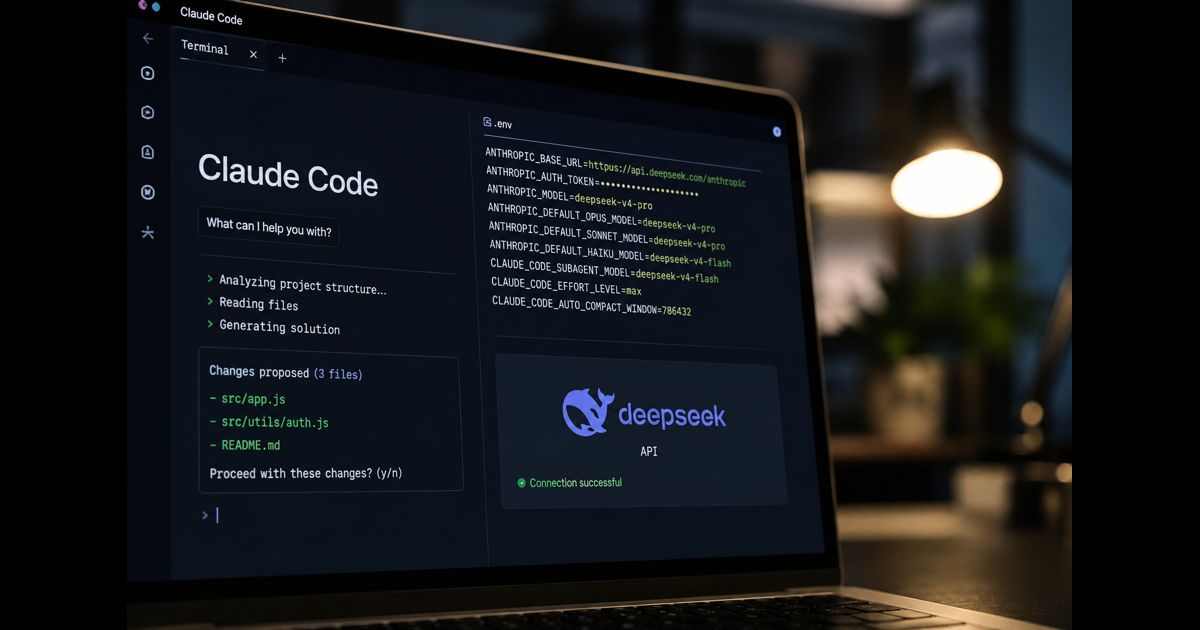
DeepSeek Claude Code is a configuration in which the Claude Code terminal interface sends model requests to DeepSeek’s Anthropic-compatible API endpoint. Claude Code remains the coding agent that reads project files, proposes changes, runs approved commands, and manages the working session. DeepSeek replaces the model backend that answers those requests.
This distinction matters. Installing Claude Code does not install a DeepSeek model locally, and changing the API endpoint does not turn DeepSeek into an Anthropic model. The arrangement combines Claude Code’s terminal workflow with models and billing supplied through the DeepSeek API.
The current integration can be established with environment variables on macOS, Linux, Windows Subsystem for Linux, or Windows PowerShell. A careful setup should also verify the active provider, prevent accidental credential exposure, preserve approval controls, and provide a clean way to return to the original configuration.
What Changes When Claude Code Uses DeepSeek?
A normal Claude Code session sends requests to an Anthropic-operated service or another configured provider. In a DeepSeek-backed session, ANTHROPIC_BASE_URL points Claude Code to DeepSeek’s compatible endpoint, while a DeepSeek API key authenticates the requests.
The resulting workflow has three separate layers:
- Claude Code provides the command-line interface, project awareness, tools, session controls, and permission prompts.
- DeepSeek’s Anthropic-compatible endpoint translates supported Anthropic-format requests.
- A selected DeepSeek model performs the reasoning and generates tool calls or responses.
The visible interface may still use Claude Code terminology. That does not prove that an Anthropic model is answering. The configured endpoint, credentials, and model route determine where the request goes.
This is also different from using the DeepSeek website. API activity is metered separately from ordinary access to the web chat. A free chatbot account should not be assumed to include unlimited Claude Code usage.
Requirements Before Configuration
Prepare the following before changing any environment variables:
- A supported Claude Code installation
- A DeepSeek Platform account
- An active DeepSeek API key
- Available API credit or an eligible account balance
- A terminal with access to the project directory
- Git for Windows if the selected Windows workflow requires it
Confirm that Claude Code is installed:
claude –version
If the terminal cannot find the command, solve the installation or PATH problem before configuring DeepSeek. Provider settings cannot repair a missing Claude Code executable.
DeepSeek’s current instructions show the npm installation route and require Node.js 18 or later:
npm install -g @anthropic-ai/claude-code
Claude Code’s installation options may change independently, so an existing working installation does not need to be reinstalled solely to connect a different provider.
Create and Protect the DeepSeek API Key
Generate the key inside the DeepSeek Platform account. Treat it like a password: anyone who obtains it may be able to use the associated balance.
Do not place a real key in:
- Source files
- CLAUDE.md
- Shell scripts committed to a repository
- Screenshots
- Support tickets
- Public terminal recordings
- Shared dotfiles
- Chat messages
Never prefix an export command with a space and assume that shell history will ignore it. History behavior varies by shell and configuration. If a real key was exposed, revoke it through the provider dashboard and issue a replacement.
For the first test, storing the variables only in the current terminal session is safer than immediately placing them in a permanent configuration file.
Configure DeepSeek Claude Code on macOS, Linux, or WSL
Open a new terminal and set the variables in the same shell that will launch Claude Code:
export ANTHROPIC_BASE_URL="https://api.deepseek.com/anthropic"
export ANTHROPIC_AUTH_TOKEN="<your-deepseek-api-key>"
export ANTHROPIC_MODEL="deepseek-v4-pro[1m]"
export ANTHROPIC_DEFAULT_OPUS_MODEL="deepseek-v4-pro[1m]"
export ANTHROPIC_DEFAULT_SONNET_MODEL="deepseek-v4-pro[1m]"
export ANTHROPIC_DEFAULT_HAIKU_MODEL="deepseek-v4-flash"
export CLAUDE_CODE_SUBAGENT_MODEL="deepseek-v4-flash"
export CLAUDE_CODE_EFFORT_LEVEL="max"
export CLAUDE_CODE_AUTO_COMPACT_WINDOW="786432"
Replace the placeholder in angle brackets with the actual API key. Do not include the brackets.
Then enter the intended repository:
cd /path/to/project
claude
These export commands affect the current shell and processes started from it. Opening an unrelated terminal will normally produce a fresh environment unless the values were added to a persistent shell configuration.
Configure DeepSeek Claude Code in Windows PowerShell
Use PowerShell environment-variable syntax:
$env:ANTHROPIC_BASE_URL="https://api.deepseek.com/anthropic"
$env:ANTHROPIC_AUTH_TOKEN="<your-deepseek-api-key>"
$env:ANTHROPIC_MODEL="deepseek-v4-pro[1m]"
$env:ANTHROPIC_DEFAULT_OPUS_MODEL="deepseek-v4-pro[1m]"
$env:ANTHROPIC_DEFAULT_SONNET_MODEL="deepseek-v4-pro[1m]"
$env:ANTHROPIC_DEFAULT_HAIKU_MODEL="deepseek-v4-flash"
$env:CLAUDE_CODE_SUBAGENT_MODEL="deepseek-v4-flash"
$env:CLAUDE_CODE_EFFORT_LEVEL="max"
$env:CLAUDE_CODE_AUTO_COMPACT_WINDOW="786432"
Move into the project and start the session:
Set-Location "C:pathtoproject"
claude
PowerShell variables set with $env: apply to that process and child processes. They are not automatically permanent across new terminal windows.
What the Model Variables Control
The variables serve different purposes and should not be treated as interchangeable.
ANTHROPIC_MODEL selects the main model for the session. DeepSeek currently documents deepseek-v4-pro[1m] for this route.
ANTHROPIC_DEFAULT_OPUS_MODEL and ANTHROPIC_DEFAULT_SONNET_MODEL redirect requests made through the corresponding Claude Code model routes. Both currently point to DeepSeek V4 Pro in DeepSeek’s recommended configuration.
ANTHROPIC_DEFAULT_HAIKU_MODEL sends Haiku-style background work to DeepSeek V4 Flash.
CLAUDE_CODE_SUBAGENT_MODEL assigns DeepSeek V4 Flash to subagent work unless another configuration takes precedence.
CLAUDE_CODE_EFFORT_LEVEL requests the documented reasoning-effort setting.
CLAUDE_CODE_AUTO_COMPACT_WINDOW tells Claude Code when to compact a long session. It does not create additional context capacity in the underlying model.
The [1m] suffix is significant to Claude Code’s context handling. Keep the model identifier exactly as documented rather than assuming that any model name can gain a one-million-token context window by adding the suffix.
How Claude Model Names Are Mapped
DeepSeek’s compatibility layer maps certain Claude-style model requests to DeepSeek models:
|
Claude-style request |
DeepSeek route |
|
Names beginning with claude-opus |
DeepSeek V4 Pro |
|
Names beginning with claude-sonnet |
DeepSeek V4 Flash |
|
Names beginning with claude-haiku |
DeepSeek V4 Flash |
Explicit environment variables reduce ambiguity because they state the desired DeepSeek model directly. Mapping remains important when Claude Code or a related workflow sends a Claude-prefixed model name internally.
The displayed Claude-style label should therefore not be treated as definitive evidence of the model provider. Provider verification must include the base URL and active route.
Verify That Claude Code Is Actually Using DeepSeek
Do not begin a large repository task immediately after configuration. Start with a harmless test.
Inside Claude Code, run:
/status
Inspect the provider, base URL, authentication source, and active model information shown by the session. The relevant endpoint should be:
https://api.deepseek.com/anthropic
Next, ask for a read-only action, such as:
Summarize this repository without changing any files.
A reliable verification sequence is:
- Confirm that claude –version works.
- Launch Claude Code from the configured terminal.
- Inspect /status.
- Perform a read-only repository task.
- Check the DeepSeek account’s API usage or balance.
- Review the proposed result before allowing edits or commands.
A successful response alone is incomplete proof. Saved Anthropic credentials, inherited variables, or another gateway can make routing confusing. The session status and provider-side activity together provide stronger confirmation.
Use Temporary Configuration Before Making It Permanent
A temporary terminal configuration is preferable during evaluation because closing the shell removes the variables. This prevents every future Claude Code session from being silently redirected.
If repeated testing proves reliable, the non-secret settings may be placed in an appropriate shell profile or Claude Code settings file. Avoid committing a configuration containing the API token.
A practical permanent arrangement separates the secret from the reusable settings:
- Store the API key in an operating-system credential manager or another approved secret store.
- Keep model and endpoint settings outside the project repository.
- Use a dedicated launch profile for DeepSeek-backed sessions.
- Maintain a separate default profile for Anthropic or other providers.
- Give scripts descriptive names so the selected backend is obvious.
This separation reduces the chance of sending proprietary source code to the wrong provider.
Security and Privacy Considerations
Claude Code may read files, send relevant context to the configured API, propose changes, and execute approved tools. Replacing the backend changes which provider processes the transmitted material.
Before using DeepSeek Claude Code on a commercial repository, determine whether the project permits source code to be processed by that provider. Review current data-handling terms, retention rules, account controls, geographic restrictions, and contractual requirements. Policies can change and should be checked at the time of deployment.
Apply these safeguards:
- Start Claude Code from the narrowest necessary project directory.
- Exclude .env files, credentials, signing keys, production dumps, and customer exports.
- Keep command approval enabled for consequential operations.
- Review diffs before accepting changes.
- Run tests in an isolated development environment.
- Protect the API key from child processes that do not require it.
- Rotate a key immediately after suspected disclosure.
- Do not grant broad filesystem or deployment access merely to avoid permission prompts.
A cheaper model request does not reduce the impact of an unsafe command. The model, agent harness, permissions, repository state, and developer review all contribute to operational risk.
Practical Workflow for Coding Tasks
Begin with a defined, testable assignment. For example:
Inspect the failing parser tests, explain the likely cause, and propose a minimal fix. Do not edit files yet.
After reviewing the analysis, permit a limited implementation:
Apply the smallest fix limited to the parser module, then run the relevant tests. Do not modify dependencies.
This staged workflow is more dependable than granting an open-ended request such as “fix the repository.” It establishes scope, prevents unnecessary edits, and creates a clear point for human review.
For larger work:
- Ask the agent to inspect before editing.
- Require a concise implementation plan.
- Limit the initial change to one component.
- Review the diff.
- Run focused tests.
- Run the broader test suite if the focused tests pass.
- Commit only after confirming that unrelated files were not modified.
Model capability does not remove the need for repository-specific instructions, deterministic tests, linting, type checking, and code review.
Common DeepSeek Claude Code Problems
claude: command not found
Claude Code is not installed, or its executable directory is absent from PATH.
Confirm the installation method, restart the terminal, and run:
claude –version
If more than one installation exists, identify which executable the shell resolves. An obsolete binary earlier in PATH can produce unexpected behavior.
Authentication failure
Likely causes include:
- An invalid or revoked DeepSeek API key
- Accidental spaces or quotation marks in the token
- The token being set in a different terminal
- An empty account balance
- A conflicting credential variable
- A corporate proxy removing authentication headers
Set the variables again in the active shell and restart Claude Code. Do not print the complete key while diagnosing the problem.
The session still uses Anthropic
The variables may have been configured after Claude Code started. Claude Code reads provider and model settings during startup, so exit the session completely and launch it again.
Also check for:
- A saved project or user setting with higher precedence
- An IDE launching Claude Code outside the configured shell
- A wrapper script overriding the endpoint
- Existing provider variables inherited from a parent process
Use /status after restarting.
Model-not-found error
Copy the current model identifier from DeepSeek’s documentation. Older tutorials may reference models that have been renamed, replaced, or removed.
Confirm that:
- The value contains no hidden spaces.
- Brackets and hyphens are preserved.
- The account has access to the selected model.
- The base URL ends with /anthropic.
- The model variable is not being overwritten elsewhere.
Streaming or connection failure
Test whether the terminal can reach the API endpoint. Then check the provider’s service status, proxy configuration, firewall rules, TLS inspection, and account balance.
Repeated retries are not a complete fix. An agent may have partially completed a tool sequence before the connection failed. Inspect repository changes and running processes before resuming.
Context fails earlier than expected
The configured compaction threshold cannot exceed the actual context supported by the model and endpoint. Excessive tool output, large generated files, logs, and repeated repository scans can consume context quickly.
Reduce unnecessary context by:
- Starting a new session for a separate task
- Pointing the agent to relevant directories
- Avoiding full build logs when a focused error is sufficient
- Summarizing completed decisions
- Excluding generated or vendor directories
- Keeping requests bounded
Tools behave differently from native Claude models
API format compatibility does not guarantee identical judgment, instruction following, tool selection, or recovery behavior. A DeepSeek model may produce different edits even when the Claude Code interface is unchanged.
Evaluate it against representative tasks from the actual repository. Compare test success, unnecessary edits, tool-call reliability, review time, token consumption, and recovery after failure. A model that costs less per token may not cost less per accepted change if it requires more retries or supervision.
How to Return Claude Code to Its Previous Provider
For a temporary macOS, Linux, or WSL configuration, close the terminal or unset the variables:
unset ANTHROPIC_BASE_URL
unset ANTHROPIC_AUTH_TOKEN
unset ANTHROPIC_MODEL
unset ANTHROPIC_DEFAULT_OPUS_MODEL
unset ANTHROPIC_DEFAULT_SONNET_MODEL
unset ANTHROPIC_DEFAULT_HAIKU_MODEL
unset CLAUDE_CODE_SUBAGENT_MODEL
unset CLAUDE_CODE_EFFORT_LEVEL
unset CLAUDE_CODE_AUTO_COMPACT_WINDOW
In PowerShell:
Remove-Item Env:ANTHROPIC_BASE_URL -ErrorAction SilentlyContinue
Remove-Item Env:ANTHROPIC_AUTH_TOKEN -ErrorAction SilentlyContinue
Remove-Item Env:ANTHROPIC_MODEL -ErrorAction SilentlyContinue
Remove-Item Env:ANTHROPIC_DEFAULT_OPUS_MODEL -ErrorAction SilentlyContinue
Remove-Item Env:ANTHROPIC_DEFAULT_SONNET_MODEL -ErrorAction SilentlyContinue
Remove-Item Env:ANTHROPIC_DEFAULT_HAIKU_MODEL -ErrorAction SilentlyContinue
Remove-Item Env:CLAUDE_CODE_SUBAGENT_MODEL -ErrorAction SilentlyContinue
Remove-Item Env:CLAUDE_CODE_EFFORT_LEVEL -ErrorAction SilentlyContinue
Remove-Item Env:CLAUDE_CODE_AUTO_COMPACT_WINDOW -ErrorAction SilentlyContinue
If the values were saved in a shell profile or settings file, remove them there as well. Restart Claude Code and inspect /status before sending source code or approving tools.
DeepSeek Claude Code vs Native Claude Code
The choice is not simply between two model names. It is a comparison between provider configurations, model behavior, pricing, privacy requirements, and task outcomes.
|
Consideration |
DeepSeek backend |
Anthropic backend |
|
Terminal interface |
Claude Code |
Claude Code |
|
Model provider |
DeepSeek |
Anthropic |
|
API credentials |
DeepSeek key |
Anthropic or Claude account credentials |
|
Billing |
DeepSeek API terms |
Anthropic or applicable plan terms |
|
Model behavior |
DeepSeek model behavior |
Claude model behavior |
|
Feature compatibility |
Depends on compatible API support |
Native Claude Code integration |
|
Data processing |
Subject to DeepSeek policies |
Subject to Anthropic policies |
|
Best evaluation method |
Test real repository tasks |
Test real repository tasks |
Published benchmark claims cannot determine which configuration is best for a particular codebase. Repository structure, language, tests, prompt quality, task complexity, tool use, latency, and required supervision can materially change the result.
A useful comparison records the same factors for both configurations:
- Percentage of tasks completed correctly
- Test pass rate
- Number of retries
- Unnecessary file changes
- Human review time
- API consumption
- Total elapsed time
- Serious permission or command errors
This produces a decision based on accepted work rather than output volume or headline pricing.
Frequently Asked Questions
Can DeepSeek run inside Claude Code?
Yes. DeepSeek provides an Anthropic-compatible API endpoint and documents environment variables for routing Claude Code to DeepSeek models.
Is Claude Code using Claude after the endpoint is changed?
The Claude Code application still provides the interface and agent workflow, but model requests are sent to the configured DeepSeek endpoint. The active backend should be verified with /status and provider-side usage.
Is DeepSeek Claude Code free?
It should not be assumed to be free. The DeepSeek web chat and DeepSeek API are separate services. API use may consume promotional credit or paid account balance under current provider terms.
Does this install DeepSeek locally?
No. The documented configuration sends requests to a hosted DeepSeek API endpoint. It does not download model weights or perform local inference.
Can the DeepSeek key be stored in CLAUDE.md?
No. CLAUDE.md is project guidance, not a secure credential store. A committed or shared file can expose the key.
Why does /model still show Claude-related names?
Claude Code uses model aliases and interface conventions that may be redirected by environment variables or mapped by a compatible provider. Check the base URL and actual model route instead of relying on the label alone.
Do MCP servers and project instructions still work?
Many Claude Code features operate at the harness level, but compatibility can vary when the backend changes. Test every essential tool, permission flow, and integration before using the configuration in production.
Can DeepSeek and Anthropic configurations be kept separately?
Yes. Separate terminal profiles or provider-specific launch scripts make switching clearer and reduce the risk of sending code to an unintended endpoint. Keep API secrets out of version control.
Is DeepSeek a complete replacement for Claude Code?
No. DeepSeek supplies the model backend in this arrangement, while Claude Code supplies the terminal agent. Whether it can replace an Anthropic-backed workflow depends on compatibility, task quality, security requirements, cost, and review effort.
Final Thoughts
DeepSeek Claude Code provides a practical way to use Claude Code’s terminal workflow with DeepSeek’s Anthropic-compatible API. The essential configuration is straightforward, but a dependable implementation requires more than copying environment variables.
Use a temporary setup first, protect the API key, confirm the endpoint with /status, test a read-only task, retain command approvals, and evaluate results on representative repository work. Most importantly, remember that the interface and model are separate components: Claude Code controls the workflow, while the configured DeepSeek model produces the reasoning and responses.