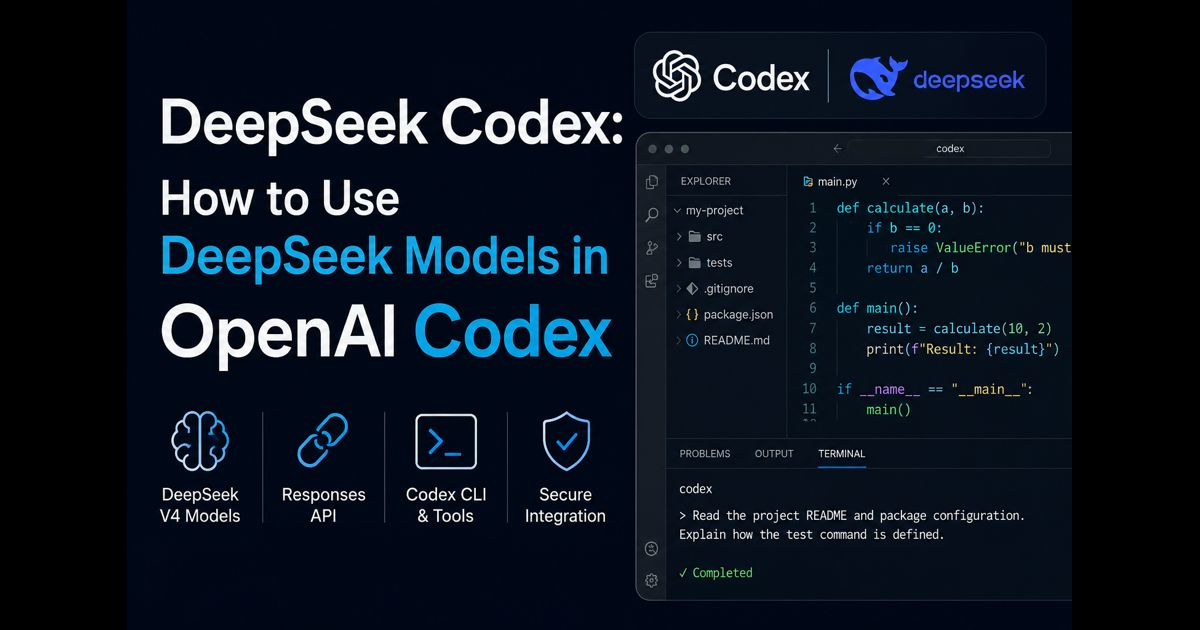
DeepSeek Codex refers to using a DeepSeek model as the model provider inside OpenAI Codex. Codex remains the coding agent that reads project files, proposes edits, runs approved commands and works with development tools. DeepSeek supplies the model that interprets instructions and decides how to approach the coding task.
The current integration uses the OpenAI Responses API format supported by DeepSeek. A separate translation proxy is no longer required for the supported DeepSeek V4 models. This matters because many older tutorials still recommend a Chat Completions configuration or local bridge that may now produce tool-call, reasoning-content or protocol errors.
Once configured, the same provider settings can be used by Codex CLI, the Codex desktop experience and the Codex extension for Visual Studio Code.
DeepSeek Codex at a Glance
|
Component |
Role |
|
OpenAI Codex |
Provides the coding-agent interface, repository access, tools, approvals and execution workflow |
|
DeepSeek model |
Analyzes the task, plans changes and generates responses or code |
|
Responses API |
Carries requests between Codex and the configured DeepSeek endpoint |
|
DeepSeek API key |
Authenticates usage and connects requests to a DeepSeek account |
|
config.toml |
Stores the selected model, provider and Codex preferences |
|
models.json |
Describes supported model capabilities to Codex |
Changing the provider does not turn Codex into a different application. Its interface, local tools and permission controls remain part of Codex, while model inference is handled through the configured DeepSeek endpoint.
Requirements Before Configuration
A working setup requires:
- A current installation of Codex CLI, the desktop client or the VS Code extension
- A DeepSeek developer account with an active API key
- Sufficient API balance for the selected model
- Permission to edit the user-level Codex configuration
- A supported Codex version for the current DeepSeek model catalog
Launch Codex at least once before using the official setup script. This creates the .codex directory where the configuration and model catalog are stored.
An existing Codex configuration should be backed up before any manual change. The official DeepSeek setup process creates a backup automatically, but a separate copy is still useful when the configuration contains custom MCP servers, project settings or permission rules.
Choosing the Right DeepSeek Model for Codex
The current DeepSeek V4 integration provides three relevant choices.
|
Model |
Best Fit |
Main Trade-off |
|
deepseek-v4-flash |
Routine coding, explanations, small fixes and quick repository tasks |
May require more guidance on difficult multi-file work |
|
deepseek-v4-pro |
Architecture, complex debugging, large refactors and deeper code review |
Greater latency and usage cost |
|
deepseek-v4-flash-vision-exp |
Tasks that include screenshots or other image input |
Experimental status requires additional testing |
V4 Flash is a sensible starting point for code explanation, straightforward implementation and high-volume work. V4 Pro is better suited to ambiguous bugs, architectural decisions, long dependency chains and changes that require sustained reasoning across many files.
Reasoning effort should also match the job. Low effort can reduce latency for simple edits. High effort is appropriate for normal agent work, while maximum effort should be reserved for difficult problems where the additional processing is justified.
A larger context window does not remove the need for focused instructions. Loading unrelated directories, generated files and old build output can make the task slower and may reduce attention to the files that matter.
Method 1: Use the Official One-Click Setup
DeepSeek provides an official setup script for macOS, Linux and Windows. The script:
- Backs up the existing config.toml.
- Writes a current DeepSeek model catalog to models.json.
- Adds the required provider settings.
- Preserves compatible MCP and project-trust settings.
- Validates the configuration before writing it.
- Provides an option to restore the previous configuration.
The setup menu allows the user to select V4 Flash, V4 Pro or the experimental vision model. It also includes a restore option for returning to the previous Codex provider.
Running a remote shell or PowerShell script executes code on the computer. On a personal test machine, the official script provides the quickest route. In a managed or production environment, download and inspect the script first or use the manual method under the organization’s software policy.
After installation, restart the Codex client so it reloads the provider and model catalog.
Method 2: Configure DeepSeek Manually
Manual configuration offers better visibility and makes it easier to keep credentials outside the configuration file.
First, export the key through an environment variable.
For macOS or Linux:
export DEEPSEEK_API_KEY="your_deepseek_api_key"
For PowerShell:
$env:DEEPSEEK_API_KEY="your_deepseek_api_key"
The value should be added through an appropriate shell-secret, credential or deployment system when persistence is required. Never place a real key in a repository, screenshot, shared document or example configuration.
A minimal provider section follows this structure:
model = "deepseek-v4-flash"
model_provider = "deepseek"
model_reasoning_effort = "high"
model_catalog_json = "/absolute/path/to/.codex/models.json"
[model_providers.deepseek]
name = "DeepSeek"
base_url = "https://api.deepseek.com"
wire_api = "responses"
env_key = "DEEPSEEK_API_KEY"
Use the current official DeepSeek model catalog rather than copying an old models.json from an unrelated tutorial. The catalog tells Codex about context limits, supported reasoning levels, tool-call behavior, input types and other model capabilities. An outdated catalog can hide a model or describe capabilities incorrectly.
The critical protocol setting is:
wire_api = "responses"
Older examples commonly use:
wire_api = "chat"
That older route should not be copied into the current native integration. It can cause incomplete tool-call sequences, missing reasoning fields and compatibility failures during agent work.
How to Confirm the Integration Is Working
Open the project directory and start Codex:
cd /path/to/project
codex
Check the startup information. It should show the selected DeepSeek model, such as deepseek-v4-flash or deepseek-v4-pro.
Use a small, reversible test before attempting a large repository change:
Read the project README and package configuration. Explain how the test command is defined. Do not modify any files.
This verifies several things at once:
- Codex can start with the selected provider.
- The API key is accepted.
- The model can read repository context.
- No unintended edit is required for the test.
- The response is coming from the configured model.
The desktop client may display the provider as “Custom” instead of showing the complete DeepSeek model name. The VS Code extension reads the same user configuration, so separate provider setup should not be necessary.
Why Previous Sessions May Appear to Disappear
Codex groups session history according to the authentication method or provider context. After switching from a ChatGPT-backed session to a third-party API provider, earlier conversations may no longer appear in the active history.
Those sessions are not necessarily deleted. Restoring the earlier configuration and restarting the client can make the original group visible again. Sessions created with DeepSeek may then become hidden until the DeepSeek configuration is restored.
Do not delete local session data merely because the history changes after a provider switch.
Common DeepSeek Codex Errors and Fixes
|
Symptom |
Likely Cause |
Corrective Action |
|
Model does not appear |
Old Codex version or missing model catalog |
Update Codex, validate the models.json path and restart the client |
|
HTTP 401 |
Invalid, missing or incorrectly loaded API key |
Confirm the environment variable, replace an exposed key and restart the terminal |
|
HTTP 400 |
Invalid request or mismatched model metadata |
Validate TOML and JSON, then use the current official model catalog |
|
HTTP 429 |
Account concurrency or capacity limit reached |
Reduce parallel work, wait before retrying and inspect account usage |
|
Tool-call sequence error |
Legacy Chat Completions configuration |
Replace wire_api = "chat" with the supported Responses API setup |
|
Connection failure |
Incorrect base URL, network restriction or TLS issue |
Confirm https://api.deepseek.com and review local network policy |
|
Official models appear instead |
DeepSeek provider was not loaded |
Check model_provider, restart Codex and inspect configuration precedence |
|
Old conversations are missing |
Provider-specific session grouping |
Restore the earlier provider configuration and restart the client |
|
Repeated poor edits |
Task scope is too broad or verification is missing |
Narrow the request, define constraints and require tests before completion |
Configuration can be loaded from more than one level. A command-line override or project-specific configuration may take precedence over the user-level file. If changes appear to have no effect, inspect every active configuration layer rather than repeatedly editing the same file.
Safe API-Key and Repository Handling
A DeepSeek API key is a billing credential. It should never be committed to Git or pasted into project instructions that Codex can read.
Use an environment variable or approved secret manager. If a key appears in a commit, chat log or screenshot, revoke it instead of merely removing the visible copy. Git history and cached logs may retain the original value.
Repository context sent to the configured provider may contain source code, configuration files and task instructions. Before using DeepSeek Codex with private or regulated code, confirm that the provider, account arrangement and data-handling terms meet the organization’s requirements.
Exclude unnecessary secrets and sensitive files from agent access. Common examples include:
- Production .env files
- Private keys and signing certificates
- Customer exports
- Database backups
- Cloud credentials
- Internal incident records
- Proprietary datasets unrelated to the task
Local execution controls still matter when the model provider changes. Keep Codex sandboxing and approval settings appropriate to the repository. Network access, destructive commands and writes outside the workspace should remain restricted unless the task genuinely requires them.
A Reliable Coding Workflow
DeepSeek Codex performs better when the work has a clear boundary and a verifiable definition of completion.
A strong implementation request should specify:
- The behavior that must change
- The files or application area involved
- Compatibility requirements
- Existing tests that must continue to pass
- New cases that need coverage
- Files or behavior that must remain unchanged
- The command used for validation
- Whether dependency changes are allowed
For example:
Fix the duplicate submission problem in the checkout form. Preserve the existing API contract and styling. Add a regression test for two rapid clicks, run the relevant test suite and summarize every modified file.
This provides an observable outcome without dictating an unverified solution.
For larger work, separate the process into inspection, plan, implementation and verification. Ask Codex to inspect the repository before editing when file ownership, framework conventions or test structure is unclear.
Reviewing Model Output Before Acceptance
Passing tests are necessary but not always sufficient. Review:
- The complete diff
- Changed public interfaces
- Error and timeout behavior
- Dependency additions
- Security-sensitive code paths
- Database or schema changes
- Logging of credentials or personal data
- Test assertions and skipped tests
- Unrelated formatting changes
Generated code may compile while mishandling authorization, concurrency, cleanup or edge cases. Human review remains essential for authentication, payments, infrastructure, migrations and destructive operations.
For high-impact work, evaluate the same bounded task on a disposable branch before changing the default provider. Measure successful tests, correction count, time to a reviewable diff, token usage and recovery after the first failed approach.
Managing Cost and Latency
Codex tasks can consume more tokens than single-turn chat because the agent reads files, receives command output, revises plans and performs multiple tool calls.
Cost can be controlled by:
- Using V4 Flash for routine work
- Reserving V4 Pro for difficult tasks
- Restricting repository context to relevant files
- Excluding build artifacts and dependency directories
- Starting a fresh session after the objective changes substantially
- Avoiding repeated full-repository scans
- Setting a clear stopping condition
- Reviewing account usage regularly
DeepSeek context caching may reduce input cost when substantial prompt content is repeated, but it should not justify sending irrelevant material. Smaller, well-selected context is usually easier to reason about and audit.
DeepSeek Codex and DeepSeek Harness Are Different
DeepSeek Codex uses a DeepSeek model within the established Codex agent environment. DeepSeek Harness is a separate, composable agent runtime with its own approach to providers, tools, sessions, storage and execution loops.
Choose DeepSeek Codex when the goal is to keep the Codex workflow while changing the model provider. Consider DeepSeek Harness when the goal is to design or study the agent runtime itself.
The model alone does not determine the final result. Repository context, system instructions, available tools, permissions, test quality and the agent’s recovery process all influence whether a coding task succeeds.
Frequently Asked Questions
Is DeepSeek Codex an official standalone product?
No. It describes OpenAI Codex configured to use a DeepSeek model as its provider.
Can Codex use DeepSeek without a proxy?
Yes. Current supported DeepSeek V4 models can communicate with Codex through DeepSeek’s native Responses API support. Older models or old configurations may behave differently.
Which model is best for coding?
V4 Flash suits routine implementation, explanation and quick fixes. V4 Pro is the stronger choice for complex debugging, architecture and multi-file changes.
Does one configuration work in every Codex client?
The CLI, desktop client and VS Code extension share the same main Codex configuration. A restart may be required after switching providers.
Why does an old tutorial require a bridge?
Earlier DeepSeek endpoints primarily used Chat Completions, while current Codex versions expect the Responses API for this integration. A translation layer filled that compatibility gap before native support became available.
Is it safe to store the API key in config.toml?
Plaintext storage increases exposure risk. An environment variable or approved secret-management system is safer, especially on shared or managed computers.
Does using DeepSeek remove Codex sandboxing?
No. The model provider and local execution boundaries are separate. Codex sandbox, approval and network settings still control what the agent can do locally.
Can DeepSeek Codex modify files automatically?
It can propose or make changes within the permissions granted to Codex. Review the active sandbox and approval settings before allowing repository writes or command execution.
Can it replace developer review?
No. Models can produce insecure, incomplete or subtly incorrect code. Tests, diff review and human judgment remain necessary.
Conclusion
DeepSeek Codex combines the Codex coding workflow with DeepSeek V4 models through the Responses API. The current native integration is simpler than older bridge-based methods, but reliable use still depends on an up-to-date model catalog, secure credential handling, appropriate permissions and disciplined verification.
V4 Flash is suitable for fast everyday work, while V4 Pro is better for demanding reasoning and repository-wide changes. Begin with a reversible task, confirm the active provider, protect the API key and judge the result by tests and review effort rather than the apparent confidence of the response.