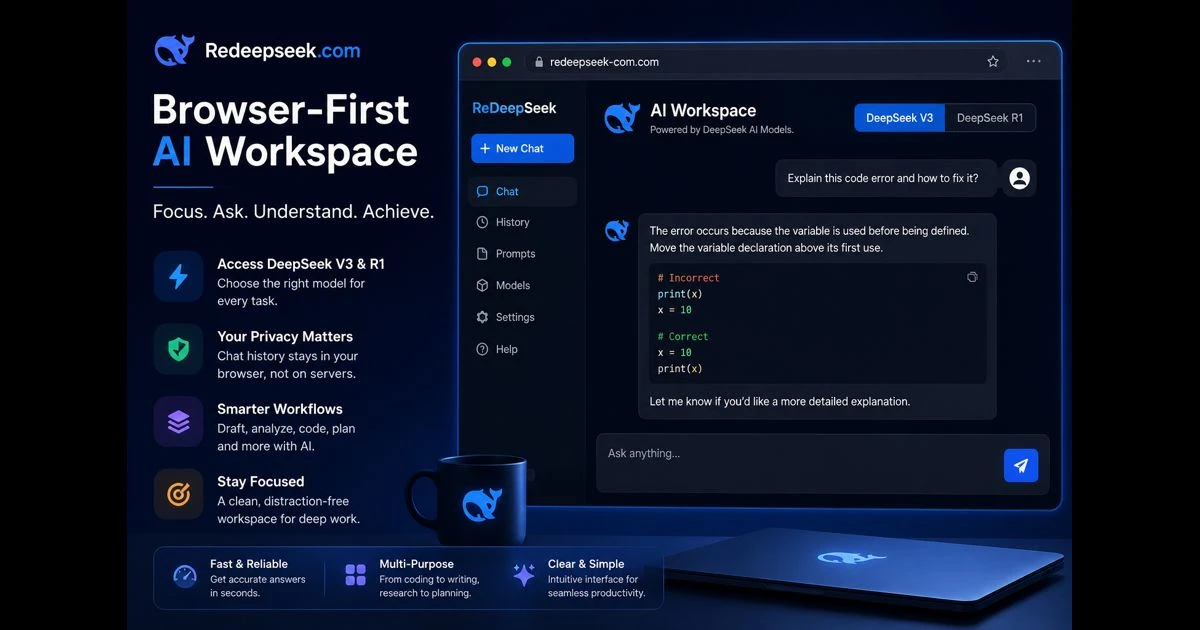
Artificial intelligence is most useful when it fits naturally into the work already being done. A person reviewing code, organising notes, testing an idea, or working through a difficult concept does not always need a large software environment or a complicated onboarding process. Often, a direct browser conversation is enough to turn an unclear task into a structured next step.
Redeepseek.com represents the value of this simpler approach. Through the ReDeepSeek interface, available at redeepseek-com.com, users can interact with DeepSeek AI models from a browser while keeping the experience centred on clarity, model choice, and personal control. It is an independent interface, not an official DeepSeek service, and that distinction matters. A useful AI workspace should make its role understandable rather than blur the line between a model provider and the interface through which a model is accessed.
The strength of a browser-first AI workspace is not that it promises to solve every problem automatically. Its value lies in removing unnecessary friction so that people can focus on asking better questions, evaluating answers carefully, and moving their work forward with more confidence.
A direct workspace changes how people use AI
Many digital tools ask for attention before they offer help. Account creation, complex dashboards, repeated setup steps, and unclear defaults can turn a small task into an interruption. A browser-based AI workspace takes a different path: open the tool, state the problem, review the response, and continue working.
That simplicity is especially useful for tasks that begin with a rough thought rather than a finished plan. A developer may need help tracing an error. A student may want a difficult concept explained in smaller stages. A writer may need a clean outline before drafting. A business owner may need to compare options before making a decision.
In each case, the useful part is not merely receiving a response. It is being able to continue the conversation with context. A good prompt can establish the goal, but follow-up questions add the detail that turns a broad answer into practical assistance.
For example, instead of asking for a generic explanation of an issue, a user can describe the constraints around it:
- Explain this code error without changing the existing function names.
- Turn these notes into a short project plan with milestones and risks.
- Compare these two approaches using cost, maintenance, and implementation time.
- Teach this concept with a simple example, then provide one practice question.
Clear constraints give an AI model a better working frame. They also make the final answer easier for a person to assess.
Model choice should follow the task
Different tasks require different kinds of thinking. Fast everyday work may benefit from a concise response, while technical or multi-step problems may require more deliberate reasoning. A useful AI interface lets people select the appropriate model without making the choice feel overly technical.
ReDeepSeek offers access to DeepSeek V3 and DeepSeek R1 through its browser chat. V3 is suited to responsive everyday conversations, drafting, explanations, and general assistance. R1 is more appropriate when a task involves layered reasoning, structured analysis, technical troubleshooting, or a problem that needs to be broken into smaller parts.
The distinction does not mean one model is universally better. It means the user should match the tool to the work in front of them.
A quick rewrite, a list of meeting questions, or a plain-language explanation may not require extensive reasoning. A debugging task, a logic puzzle, a data interpretation exercise, or a complex technical decision often benefits from a slower and more methodical approach. Choosing deliberately prevents both overcomplication and shallow answers.
The ReDeepSeek chat workspace makes this model selection part of the working process rather than a separate technical hurdle.
Privacy begins with clear boundaries
Privacy claims can easily become vague, particularly in AI products. The more useful question is simple: where does the conversation live, who can access it, and what should a user avoid sharing?
ReDeepSeek states that conversation history is kept in the user’s browser through local storage rather than stored in a platform database. This browser-local approach gives users a clearer boundary around their chat history. It also makes sensible habits essential.
No matter which AI tool is being used, sensitive information should be handled carefully. Passwords, private access keys, customer records, medical details, legal documents, confidential source material, and unpublished financial information should not be pasted into a chat without understanding the relevant controls and risks.
A privacy-aware workflow does not require avoiding AI. It requires deciding what belongs in the conversation and what should remain outside it. Users can often remove identifying details, replace private figures with examples, or describe the structure of a problem without exposing the underlying record.
That discipline is valuable beyond AI. It improves the quality of briefs, internal documentation, and problem-solving discussions across any digital workspace.
Better prompts create better working sessions
An AI model can generate a response in seconds, but strong results usually come from deliberate instruction. The best prompts do not need to be long. They need to establish the task, the relevant context, and the expected form of the answer.
A useful prompt normally contains four elements:
- The objective
- The background information needed to understand it
- The constraints that should be respected
- The format of the final response
Consider the difference between a broad request and a directed one.
A broad request might ask: “Help me improve this article.”
A directed request could say: “Edit this 800-word article for clarity and logical flow. Keep the factual meaning unchanged, remove repetition, use a calm professional tone, and return the revised version with no commentary.”
The second request gives the model a standard to work against. It also reduces the amount of correction required after the first response.
For technical work, precision matters even more. Providing an error message, relevant code section, expected behaviour, programming language, and limitations will usually produce a stronger explanation than asking why something “is not working.”
AI assistance needs human review
A fluent answer is not always a complete or correct answer. AI can be helpful for explaining, drafting, organising, comparing, and brainstorming, but it should not replace professional judgment or source verification where accuracy carries real consequences.
This is particularly important in legal, medical, financial, security, and high-impact business decisions. In these areas, an AI response can help identify questions, explain terminology, or structure research, but the final decision should rest on verified information and appropriate expertise.
The same standard applies to code. A suggested solution may appear correct while still overlooking project-specific requirements, security concerns, performance limits, or compatibility issues. Running tests, reviewing changes, and understanding the logic remain essential.
Human review is not a weakness in an AI workflow. It is the step that turns assistance into dependable work.
A useful AI session ends with action
The most productive AI conversations do not end with an interesting answer. They end with a next step.
After receiving a response, a user can ask the model to turn it into an action list, identify assumptions, provide an example, explain trade-offs, or challenge the initial conclusion. This keeps the conversation practical rather than passive.
A research summary can become a list of sources to verify. A coding explanation can become a test plan. A business comparison can become a decision matrix. A draft can become a cleaner version tailored to its intended audience.
This iterative approach is where browser-based AI becomes genuinely useful. The user remains responsible for the goal and the judgment. The AI helps make the path clearer.
Why a clear independent interface matters
People should be able to understand the services they use: what the interface does, what it does not do, and how it relates to the underlying technology. ReDeepSeek identifies itself as an independent browser interface for DeepSeek AI models rather than presenting itself as the model provider. Its platform overview explains that position in more detail.
That clarity helps users make informed choices. It also supports healthier expectations around AI tools. An interface can make powerful models easier to access, but it cannot eliminate the need for thoughtful prompts, careful review, and responsible handling of information.
Redeepseek.com is most valuable when treated as a focused workspace: a place to explore an idea, reason through a problem, draft with structure, or obtain a clearer starting point. The quality of the outcome still depends on the user’s context, judgment, and willingness to verify what matters.
A simple interface, used with care, can make advanced AI feel less distant and more practical in everyday work.